


Oceanscape in Pink - Original Oil Painting - Seascape Art - 12 inches
Oceanscape in Pink - Original Oil Painting - Seascape Art - 12 inches
A sunset stroll along a painted shore.
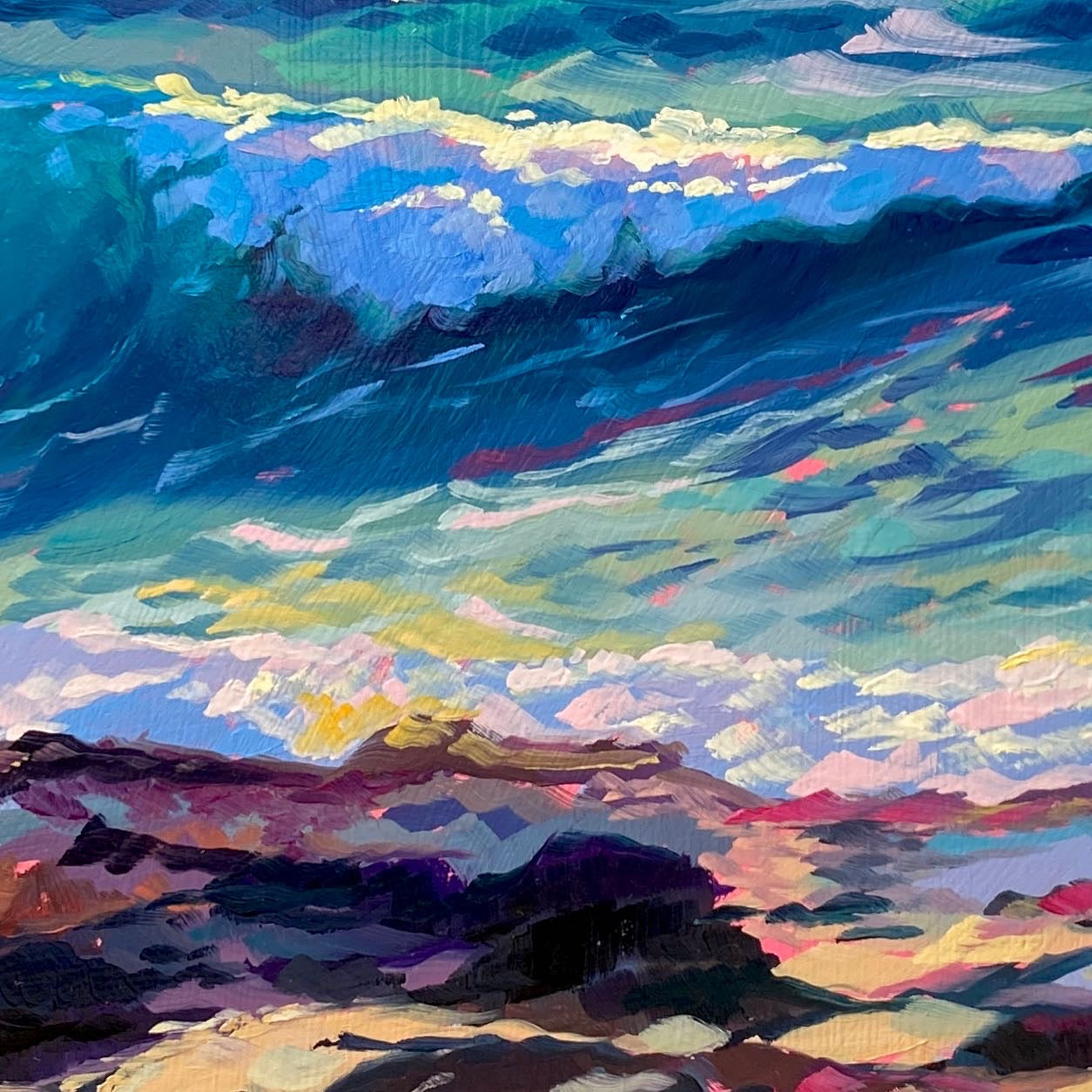
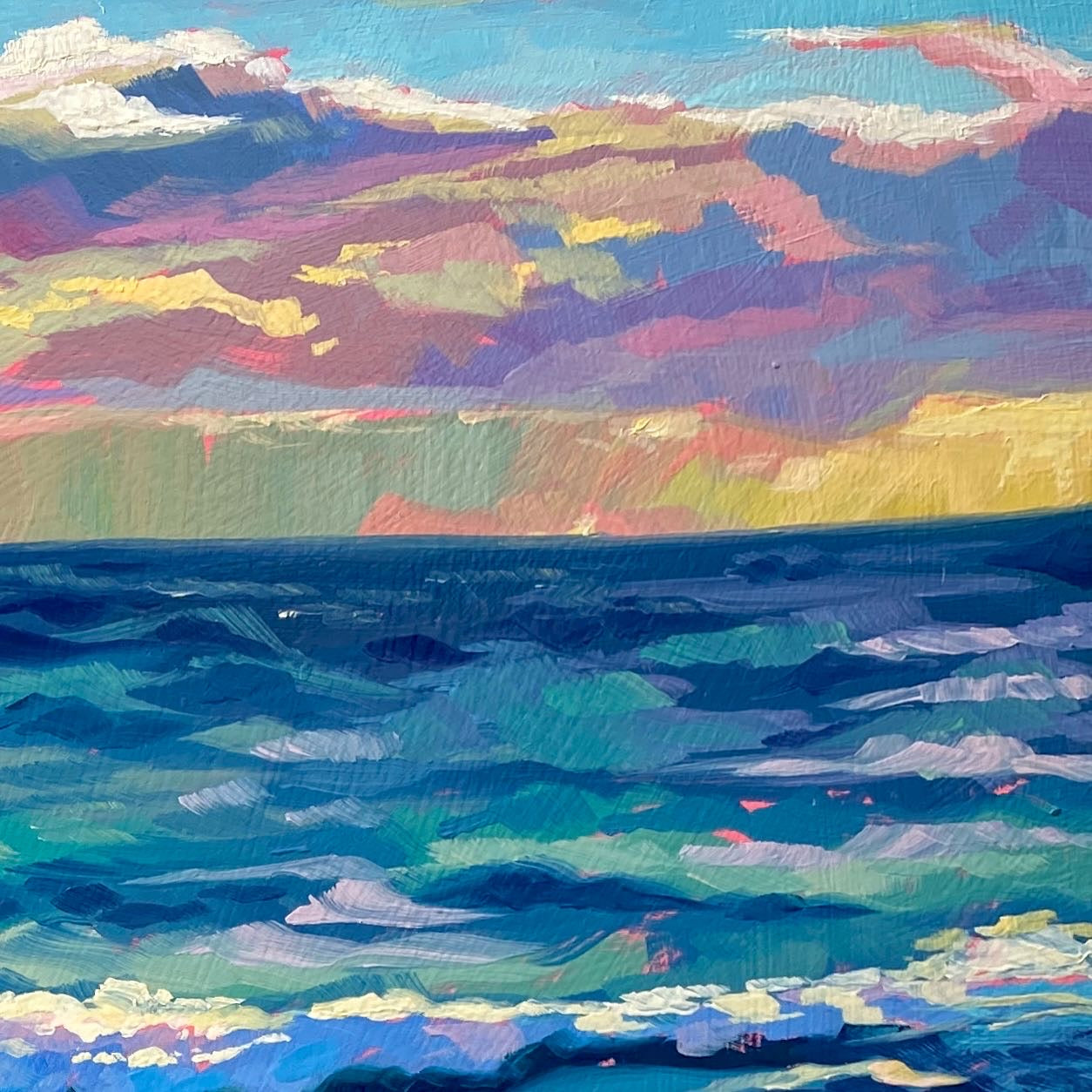
"Oceanscape in pink" is a breathtaking original oil painting that invites you to breathe in the salty air. The composition features a dynamic, rolling ocean wave painted in luminous shades of turquoise, teal, and deep indigo. The churning water crashes gently against a textured, rocky shoreline in the foreground. Above the horizon, a spectacular sunset sky is rendered with soft, sweeping clouds in dreamy hues of pastel pink, warm yellow, and soft purple, creating a stunning visual contrast against the cool tones of the sea.
Painted on a generous 30x30 cm (12x12 inch) handmade primed wood panel, this piece offers a substantial and immersive window into nature. Alai’s signature thick, expressive brushstrokes give the water incredible movement and make the rocky foreground feel tactile and rugged. It’s an expansive, colorful statement piece that brings the calming yet energizing presence of the ocean right into your living space.
Why this original is a fresh pick:
- Dynamic Movement: The impasto technique brings the rolling wave and crashing surf to life, making the water feel active and powerful.
- Striking Color Palette: The warm, dreamy tones of the sunset sky contrast beautifully with the vibrant, cool blues of the ocean water.
- Tactile Shoreline: The chunky, textured brushstrokes used for the dark rocky foreground ground the piece and add incredible depth to the landscape.
Technical Details:
- Medium: Original Oil painting.
- Surface: Handmade primed wood panel.
- Size: 30x30 cm (approx. 12x12 inches).
- Ready to Hang: Yes.
- Authenticity: Includes a Certificate of Authenticity (COA) hand-signed by me.
Unboxing & Shipping:
Your painting arrives wrapped with care, including special care instructions and exclusive goodies. We offer worldwide delivery with tracked and insured shipping, ensuring your original art arrives safe and sound.
Painted and shipped directly from the studio by Alai Ganuza. Made with professional paints and materials. Can be hung like this or framed for extra character.
Couldn't load pickup availability


More available works
-
Egg Couple - Fine Art Giclée Print - Vibrant Fried Egg Still Life
Regular price From €45,00 EURRegular priceUnit price per -
Plant in Studio Sink - Fine Art Giclée Print - Atmospheric Still Life
Regular price From €45,00 EURRegular priceUnit price per€35,00 EURSale price From €45,00 EUR -
Sink and Pink Soap - Fine Art Giclée Print - Bathroom Still Life
Regular price From €45,00 EURRegular priceUnit price per€35,00 EURSale price From €45,00 EUR -
Imaginary Breakfast - Fine Art Giclée Print - Sunny Side Up Egg Still Life
Regular price From €45,00 EURRegular priceUnit price per€35,00 EURSale price From €45,00 EUR


