


Rainbow Cake and Fork - Original Oil Painting - Dessert Art - 8 inches
Rainbow Cake and Fork - Original Oil Painting - Dessert Art - 8 inches
A slice of pure, painted joy.
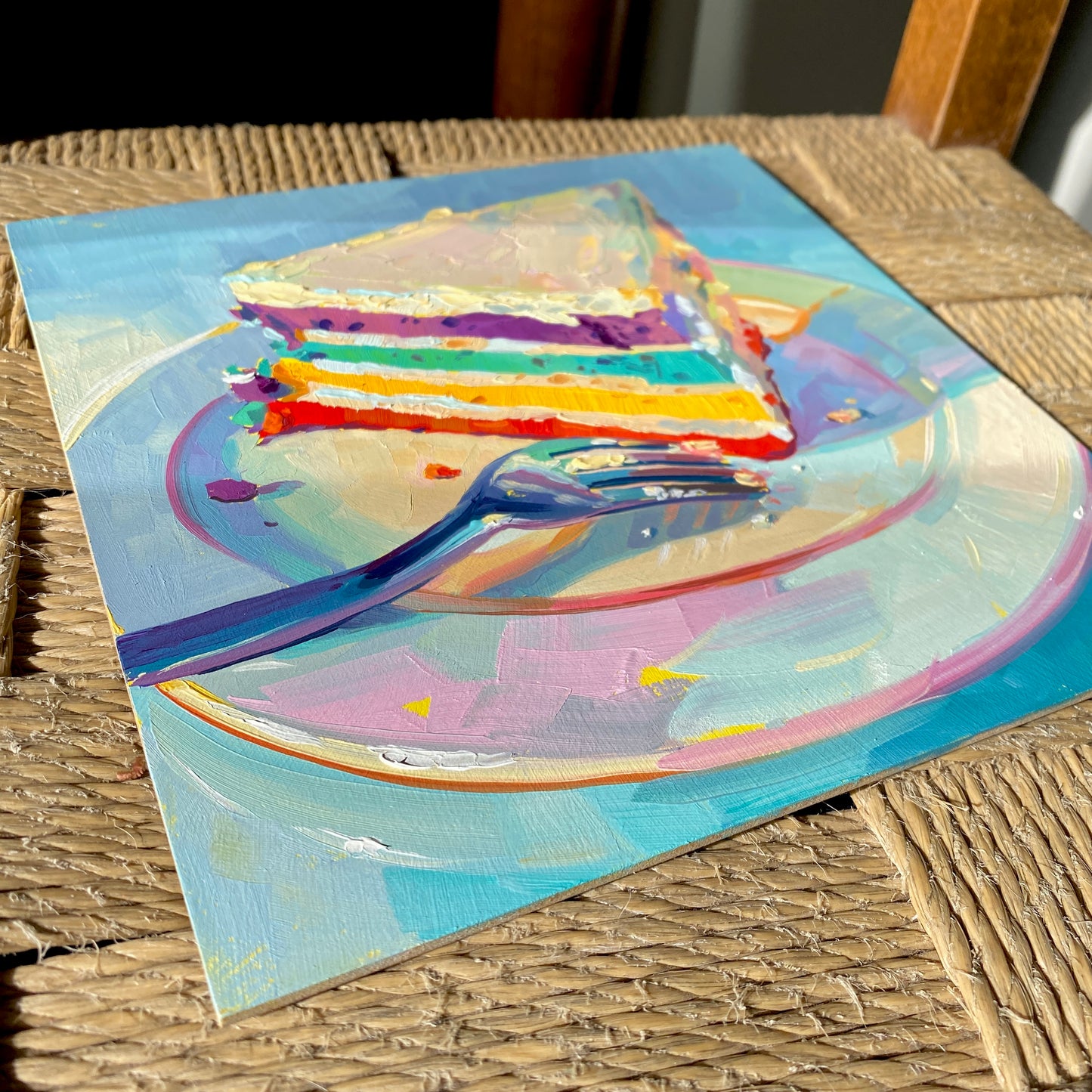
"Rainbow cake and fork" is a cheerful and appetizing original oil painting that celebrates color in its most delicious form. The composition features a generous slice of multi-layered rainbow cake, boasting vibrant stripes of red, orange, yellow, green, teal, and purple, all separated by thick white frosting. It rests on a beautiful pastel-toned plate shimmering with pinks, yellows, and blues, accompanied by a metallic fork resting in the foreground. Set against a cool, highly textured light blue background, the warm, joyful colors of the cake pop with irresistible energy.
Painted on a 20x20 cm (8x8 inch) handmade primed wood panel, this piece is packed with dynamic, expressive brushwork. Alai’s signature thick impasto technique gives the frosting a highly tactile, fluffy quality, while the metallic fork masterfully reflects the surrounding cool and warm hues. It is a brilliant, eye-catching addition to a kitchen, dining room, or a playful gallery wall.
Why this original is a fresh pick:
- Vibrant Layers: The cheerful spectrum of rainbow colors makes this piece an instant mood-booster that brings life to any room.
- Masterful Reflections: The complex, colorful reflections captured in the metallic fork demonstrate incredible technical skill and color observation.
- Tactile Texture: Thick oil paint brings a dimensional, sculptural quality to the smooth plate and the thick, spreadable frosting.
Technical Details:
- Medium: Original Oil painting.
- Surface: Handmade primed wood panel.
- Size: 20x20 cm (approx. 8x8 inches).
- Ready to Hang: Yes.
- Authenticity: Includes a Certificate of Authenticity (COA) hand-signed by me.
Unboxing & Shipping:
Your painting arrives wrapped with care, including special care instructions and exclusive goodies. We offer worldwide delivery with tracked and insured shipping, ensuring your original art arrives safe and sound.
Painted and shipped directly from the studio by Alai Ganuza. Made with professional paints and materials. Can be hung like this or framed for extra character.
Couldn't load pickup availability


More available works
-
Egg Couple - Fine Art Giclée Print - Vibrant Fried Egg Still Life
Regular price From €45,00 EURRegular priceUnit price per -
Plant in Studio Sink - Fine Art Giclée Print - Atmospheric Still Life
Regular price From €45,00 EURRegular priceUnit price per€35,00 EURSale price From €45,00 EUR -
Sink and Pink Soap - Fine Art Giclée Print - Bathroom Still Life
Regular price From €45,00 EURRegular priceUnit price per€35,00 EURSale price From €45,00 EUR -
Imaginary Breakfast - Fine Art Giclée Print - Sunny Side Up Egg Still Life
Regular price From €45,00 EURRegular priceUnit price per€35,00 EURSale price From €45,00 EUR


