


Strawberry Shortcake II - Original Oil Painting - Dessert Art - 9 inches
Strawberry Shortcake II - Original Oil Painting - Dessert Art - 9 inches
A slice of pure, painted sweetness.
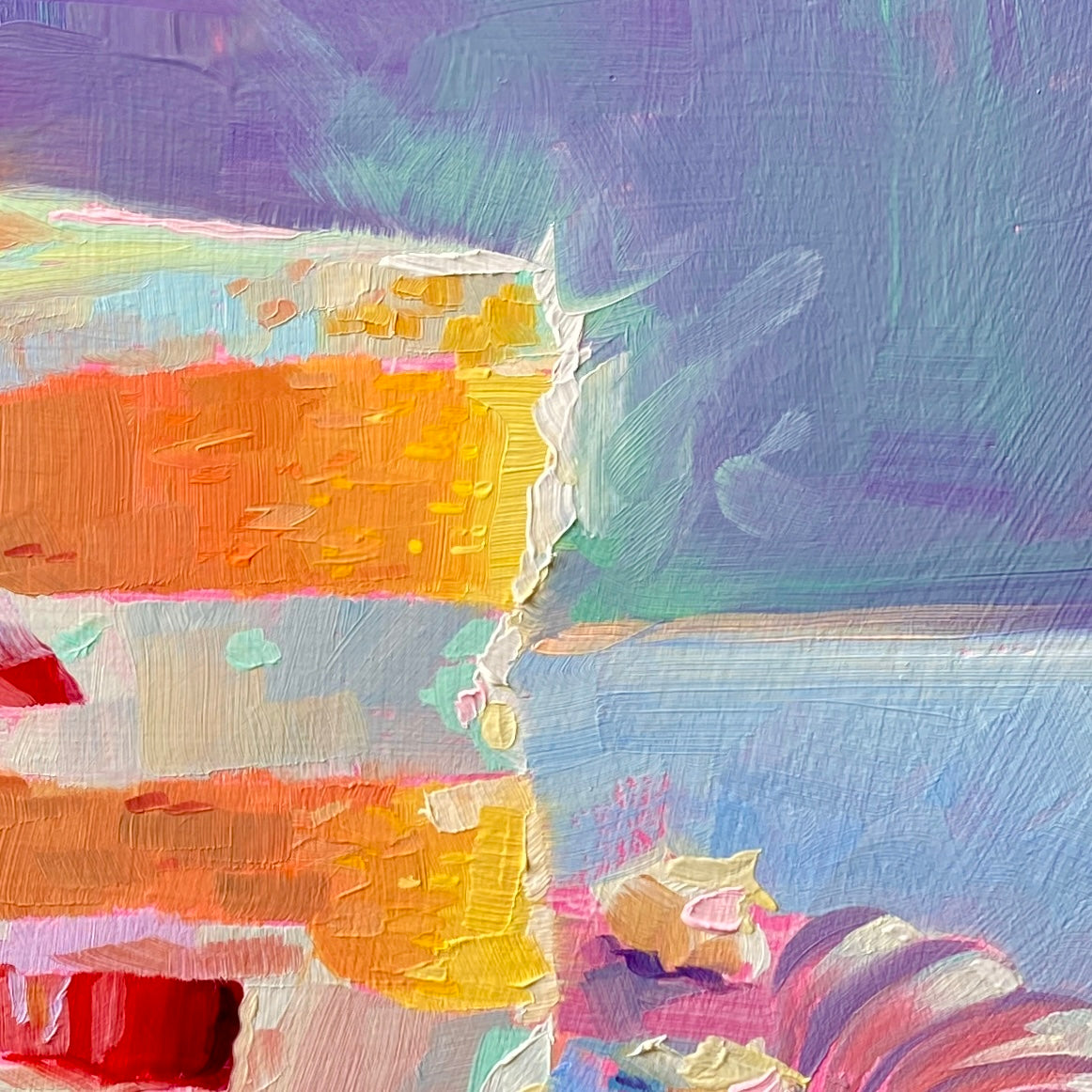
"Strawberry shortcake II" is a mouth-watering original oil painting that turns a beloved dessert into a feast for the eyes. The subject is a generous slice of layered cake featuring golden sponge cake, thick white cream, and ruby-red strawberry slices. Crowned with a beautifully textured whole strawberry, the slice rests delicately on a beautifully rendered fluted pastel plate. Set against a rich, deep purple background, the warm tones of the cake and fruit burst forward with irresistible energy.
Painted on a 23x23 cm (9x9 inch) handmade primed wood panel, this artwork hides a beautiful technical secret: it was painted over a vibrant pink underpainting. You can see this luminous pink peeking through the edges of the cake, the plate, and the background, giving the entire piece a warm, cohesive glow. It is a joyful, colorful addition to a kitchen, dining room, or café-inspired nook.
Why this original is a fresh pick:
- Vibrant Contrast: The deep violet backdrop creates a stunning, complementary contrast that makes the golden cake and bright red berries pop.
- Tactile Texture: Alai's signature impasto brushstrokes make the sponge look genuinely fluffy and the cream look thick and spreadable.
- The Pink Underpainting: Using a hot pink base layer adds a vibrating, energetic warmth to the cool pastel shadows of the plate and table.
Technical Details:
- Medium: Original Oil painting.
- Surface: Handmade primed wood panel.
- Size: 23x23 cm (approx. 9x9 inches).
- Underpainting: Pink.
- Ready to Hang: Yes.
- Authenticity: Includes a Certificate of Authenticity (COA) hand-signed by me.
Unboxing & Shipping:
Your painting arrives wrapped with care, including special care instructions and exclusive goodies. We offer worldwide delivery with tracked and insured shipping, ensuring your original art arrives safe and sound.
Painted and shipped directly from the studio by Alai Ganuza. Made with professional paints and materials. Can be hung like this or framed for extra character.
Couldn't load pickup availability


More available works
-
Egg Couple - Fine Art Giclée Print - Vibrant Fried Egg Still Life
Regular price From €45,00 EURRegular priceUnit price per -
Plant in Studio Sink - Fine Art Giclée Print - Atmospheric Still Life
Regular price From €45,00 EURRegular priceUnit price per€35,00 EURSale price From €45,00 EUR -
Sink and Pink Soap - Fine Art Giclée Print - Bathroom Still Life
Regular price From €45,00 EURRegular priceUnit price per€35,00 EURSale price From €45,00 EUR -
Imaginary Breakfast - Fine Art Giclée Print - Sunny Side Up Egg Still Life
Regular price From €45,00 EURRegular priceUnit price per€35,00 EURSale price From €45,00 EUR


