


American Velazquez - Original Oil Painting - Large Format Masterpiece
American Velazquez - Original Oil Painting - Large Format Masterpiece
A modern tribute to the master, painted in my own world.
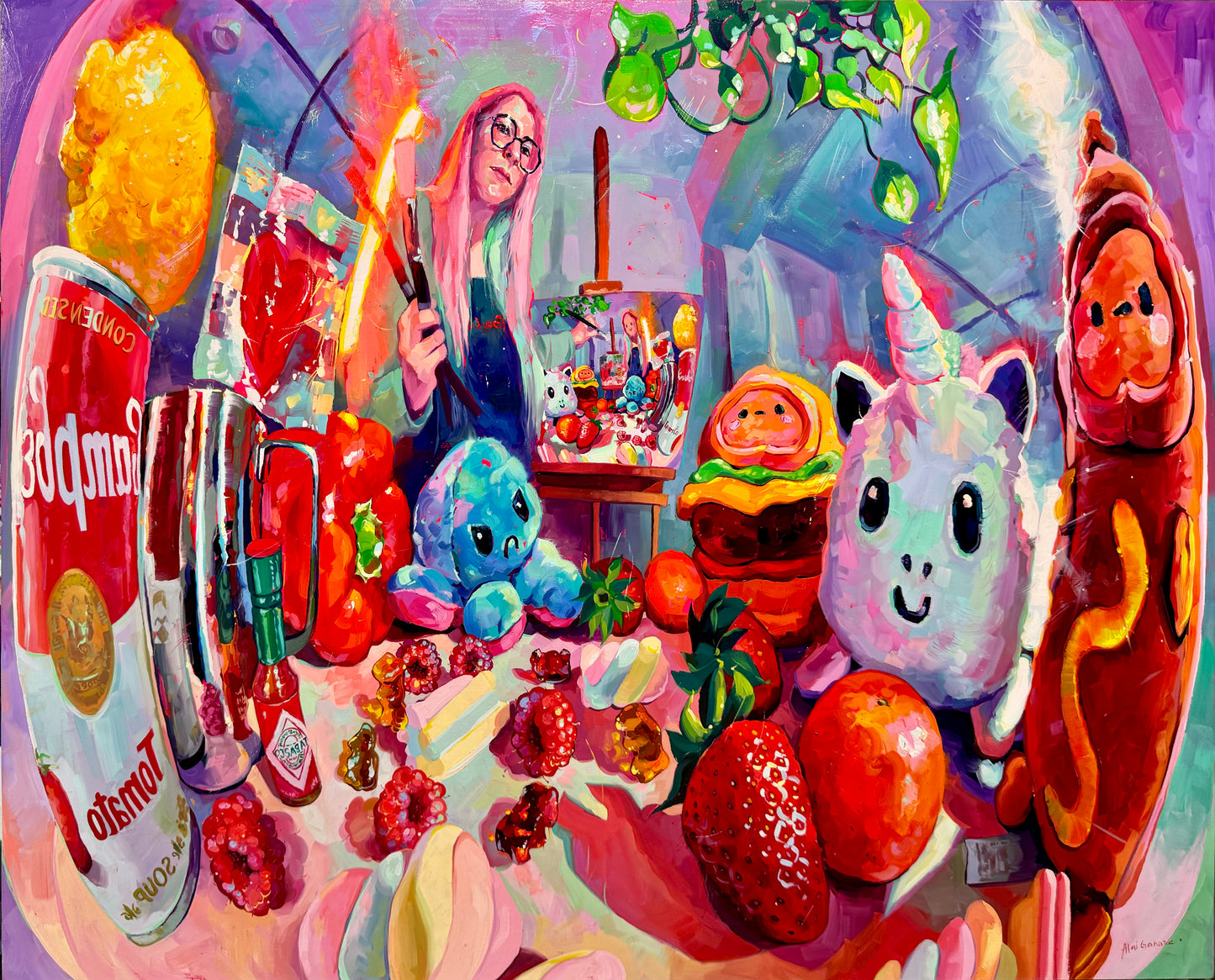
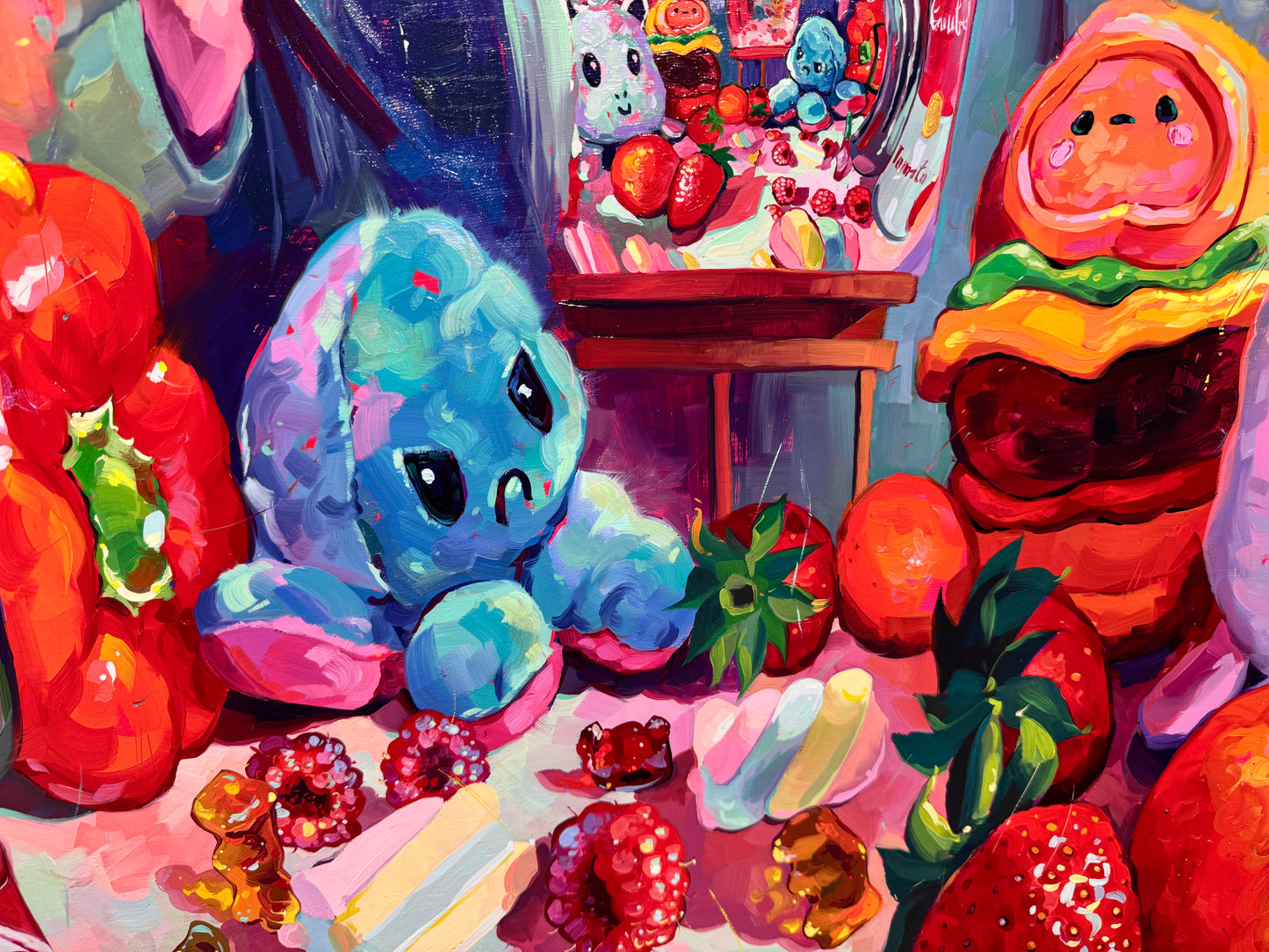
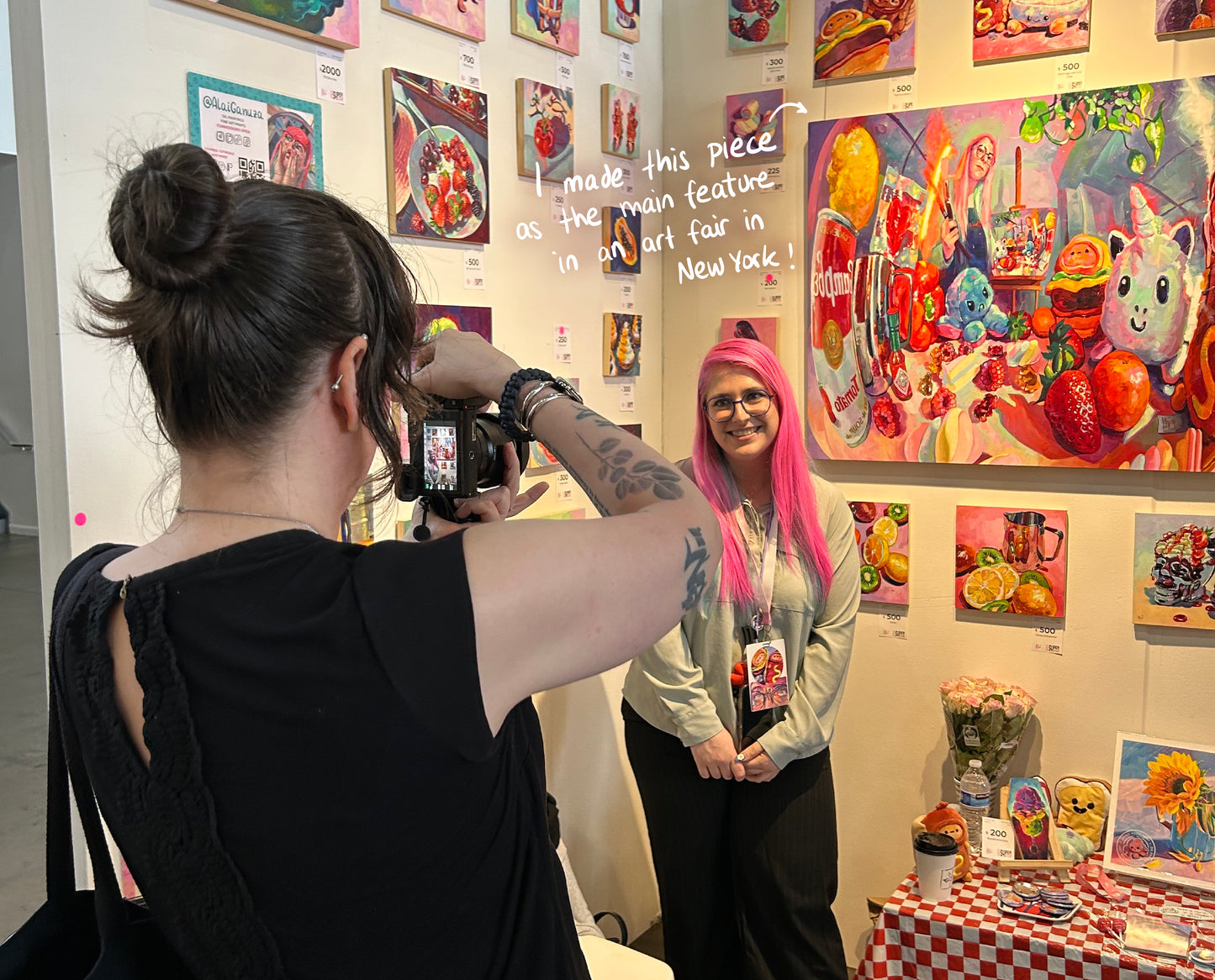
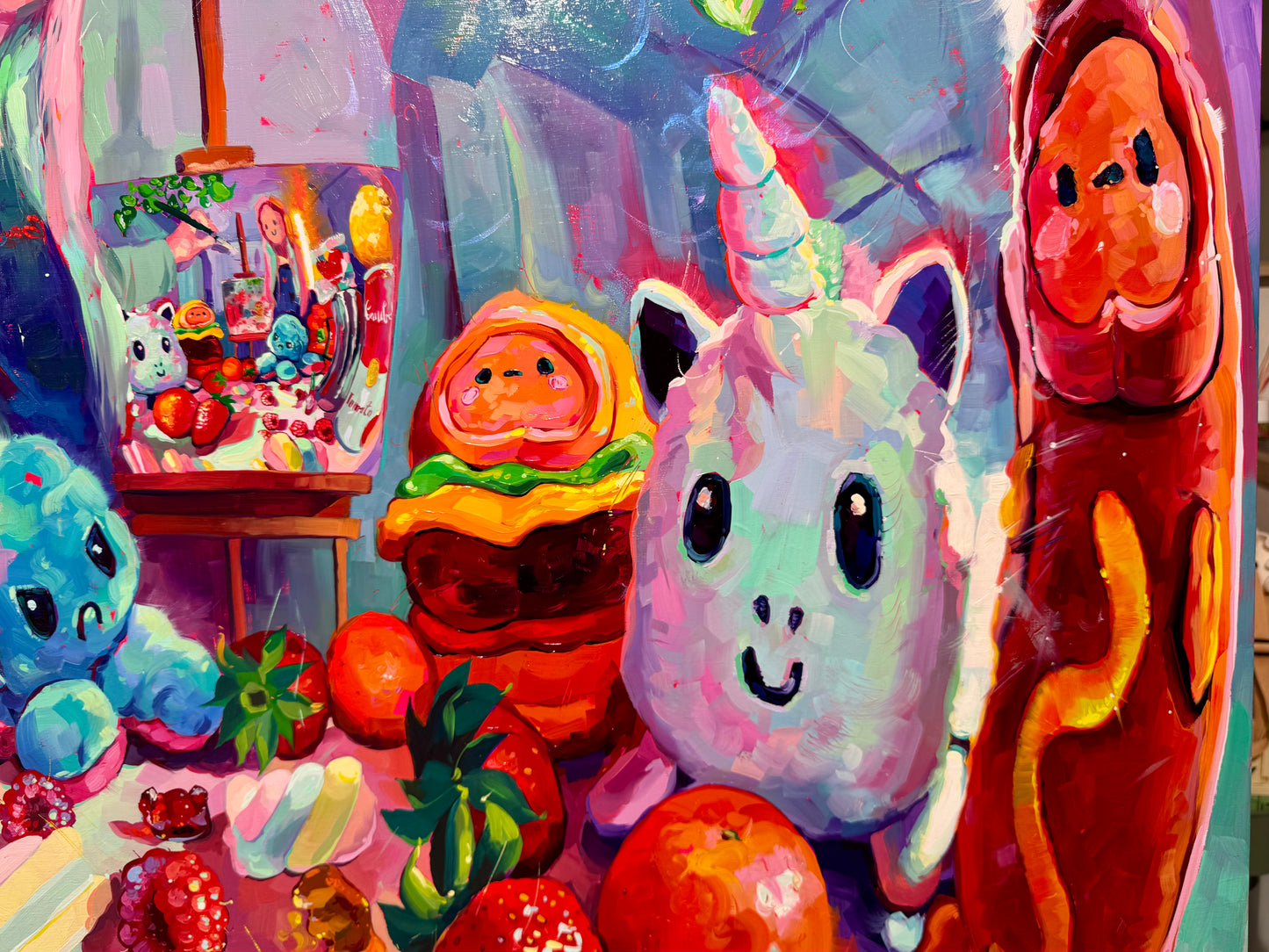
"American Velazquez" is my most ambitious and personal work to date. Channeling the spirit of Velázquez, who famously placed himself inside his masterpiece Las Meninas, I decided to step into the canvas myself.
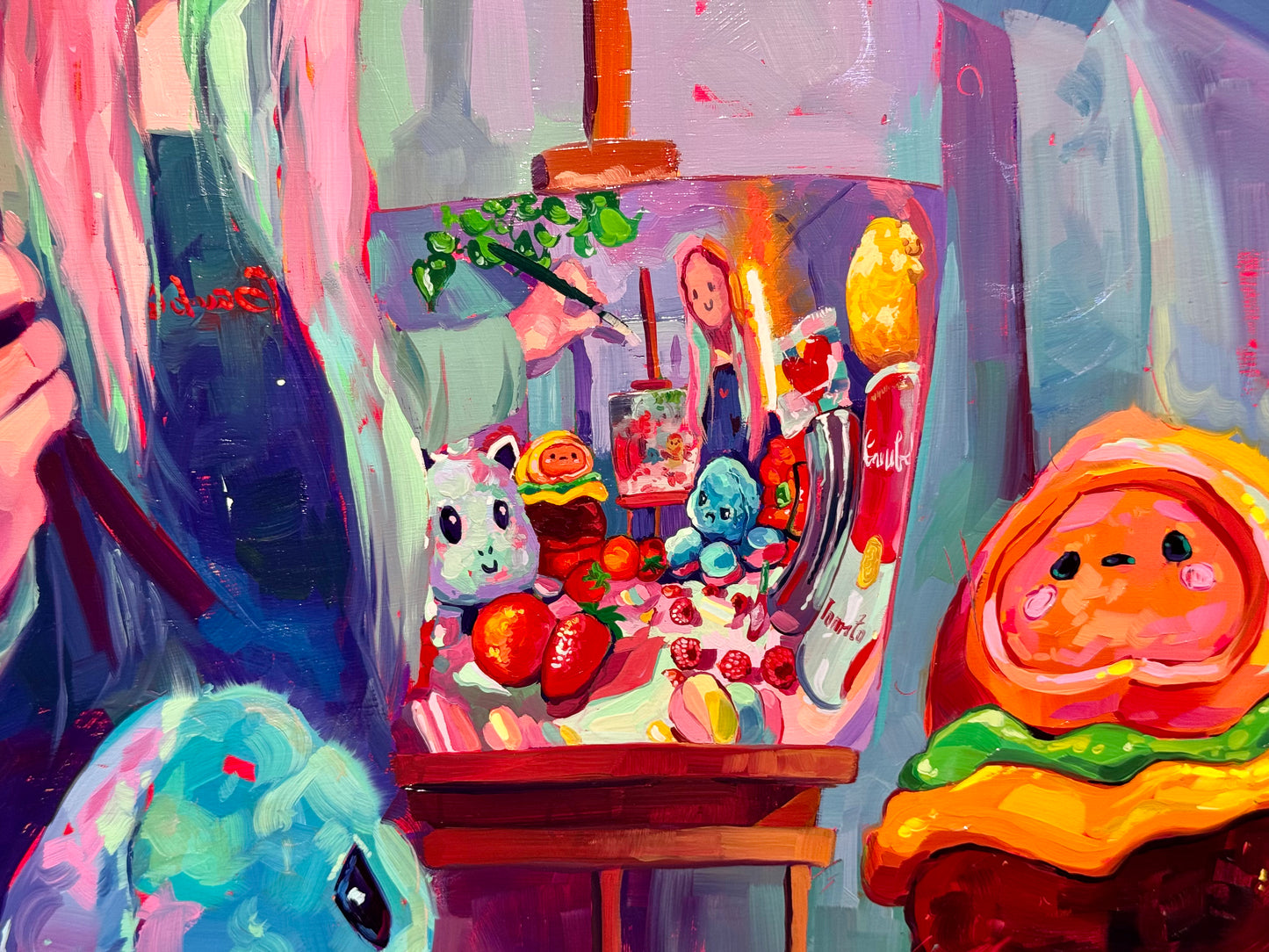
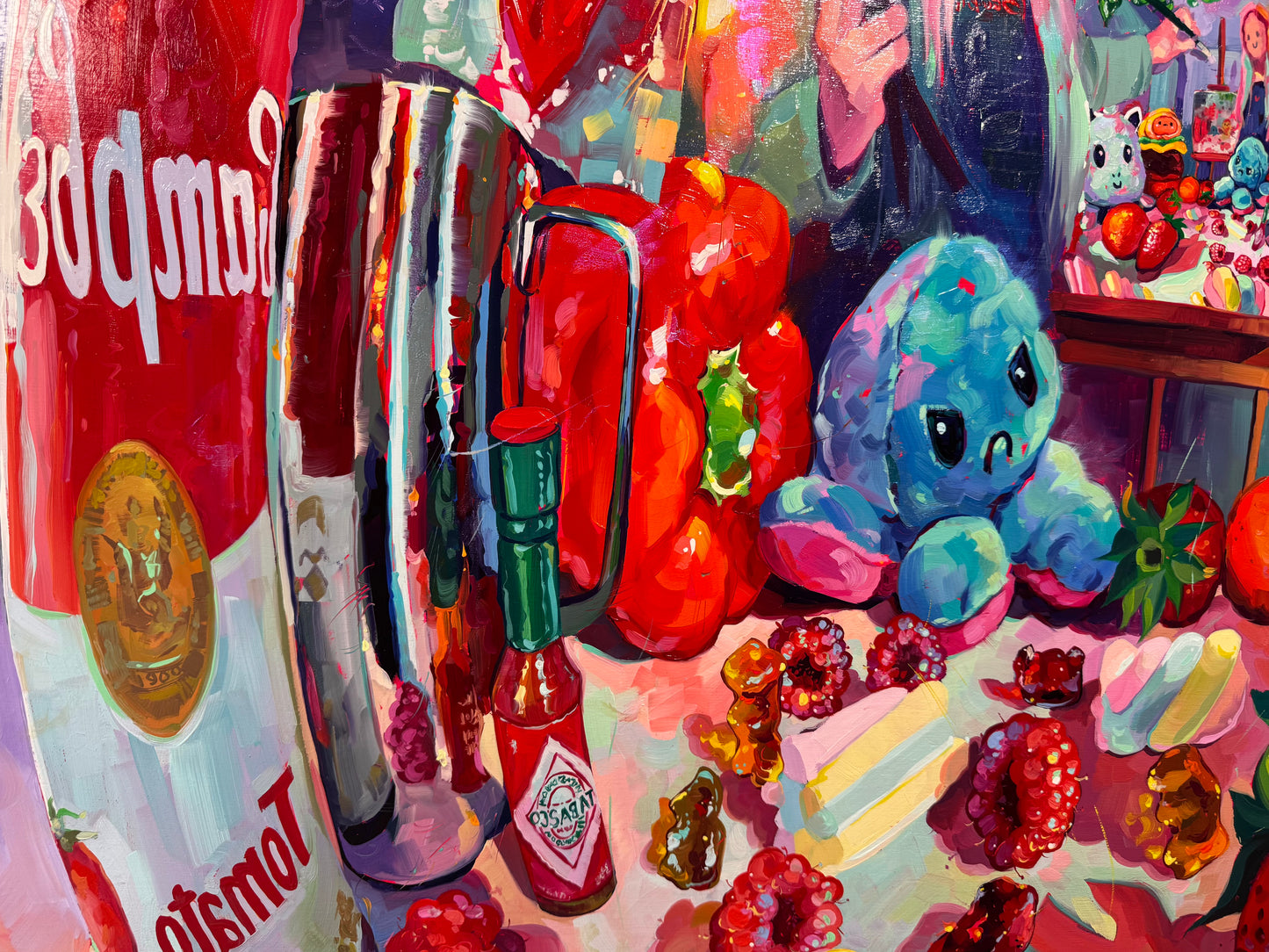
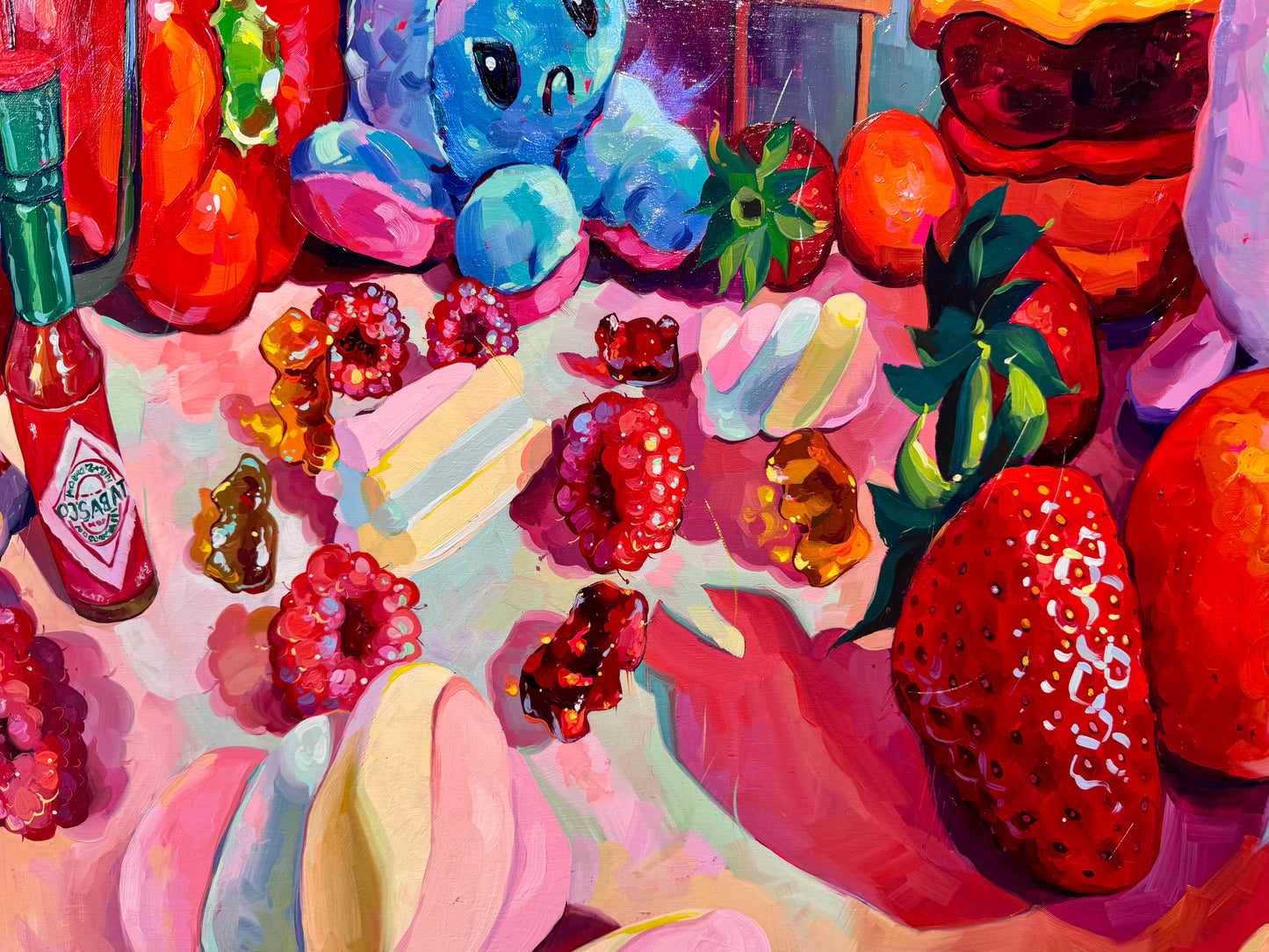
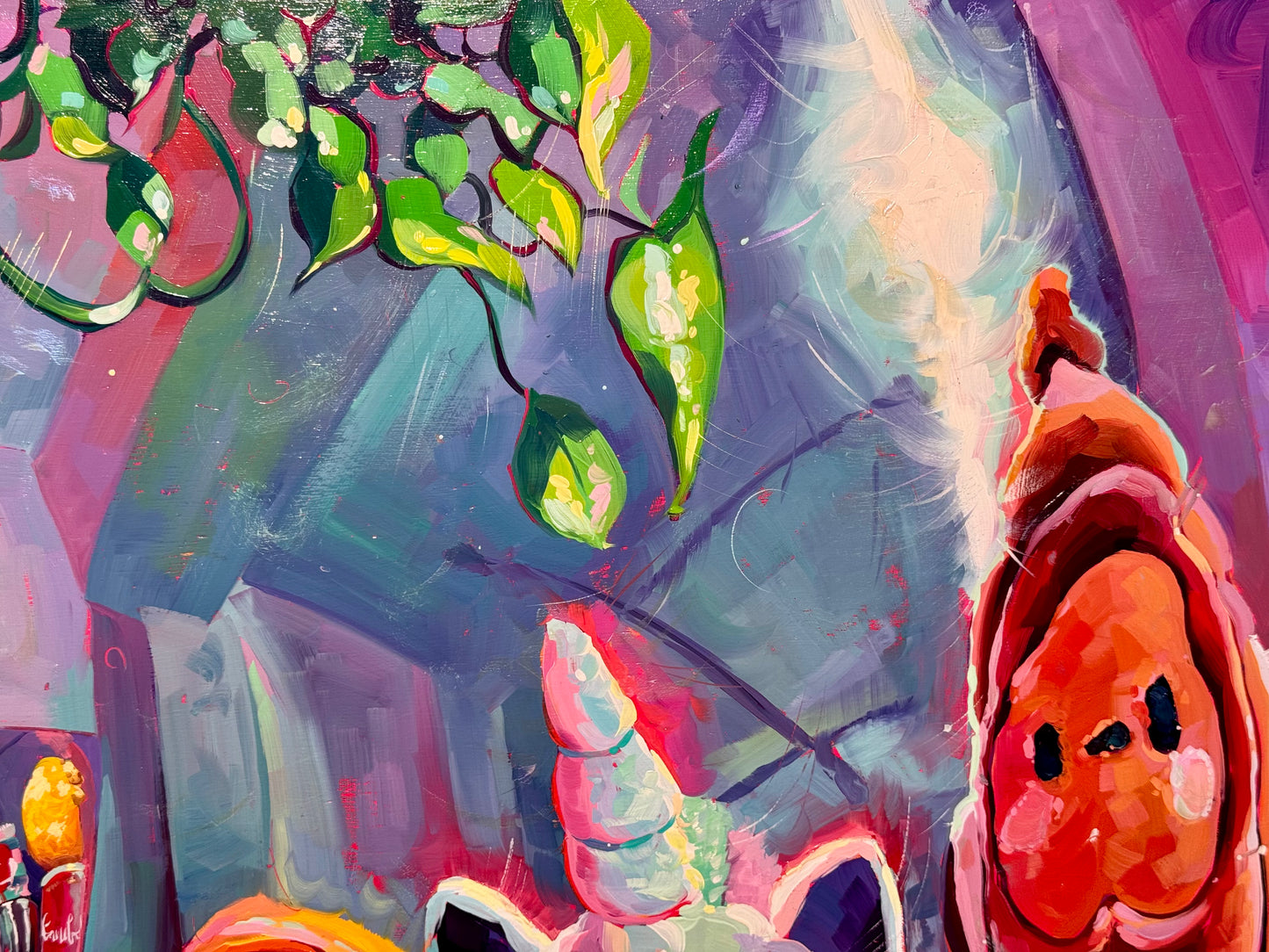
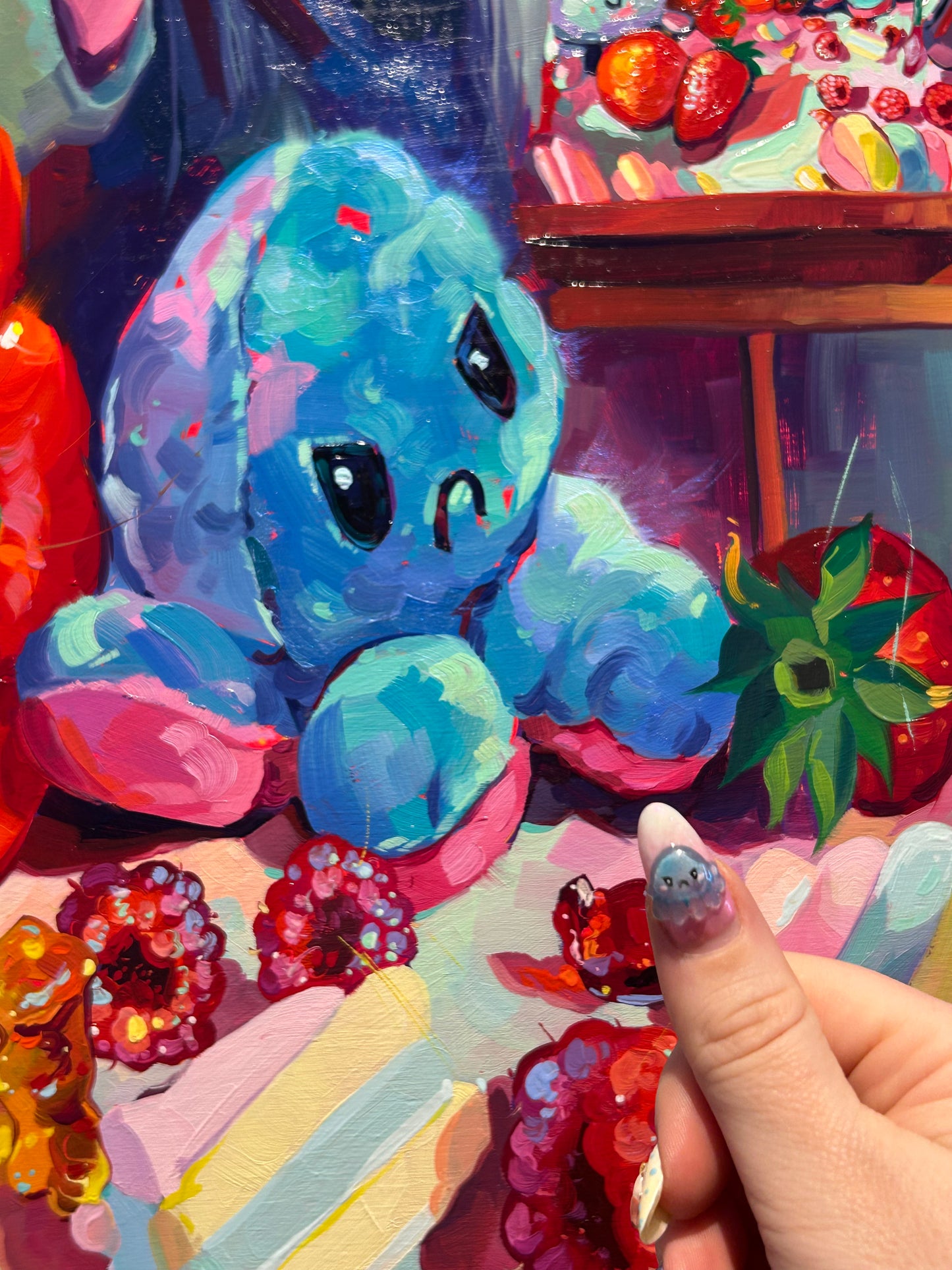
In this large-scale painting, I am surrounded by the icons of my artistic universe: soft plushies and delicious food. But look closer at the background: you will see the finished painting itself, creating a mesmerizing "painting within a painting" effect. It is a playful, complex loop of reality and art, capturing not just objects, but the very act of creating them. This is more than a still life; it is a portrait of my life as a painter.
Why this original is a unique find:
- Meta-Narrative: A conceptual piece where the artist and the artwork merge, referencing art history with a contemporary pop-culture twist.
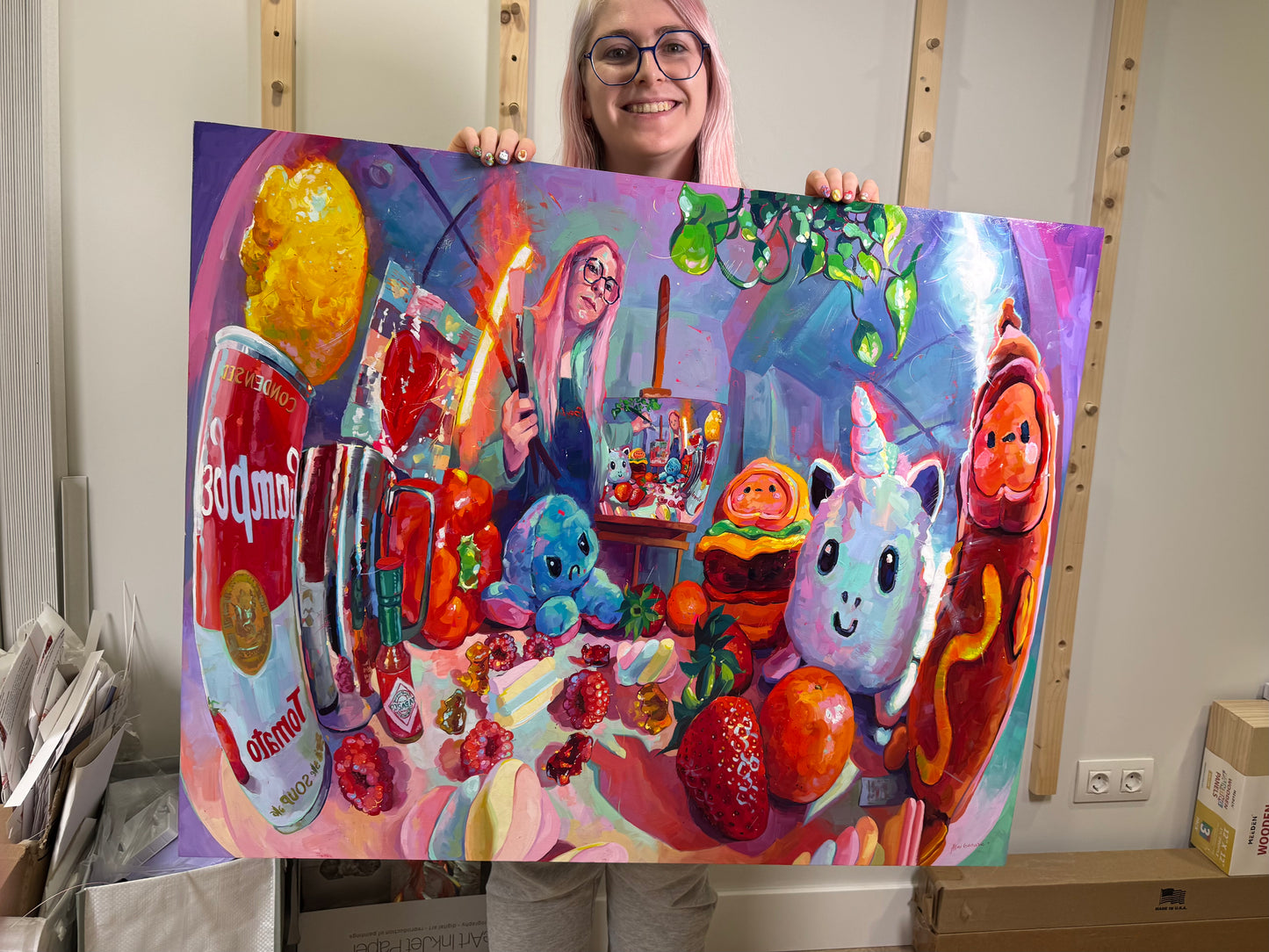
- Statement Piece: At 32x40 inches, this is a commanding work that instantly defines a room and serves as the centerpiece of any serious collection.
- Museum Quality Finish: Sealed with Gamvar Gloss, a UV-resistant varnish that ensures the colors remain vibrant and protected for generations.
Technical Details:
- Medium: Oil painting.
- Surface: Cradled wood canvas.
- Size: 81x100 cm (approx. 32x40 inches).
- Finish: Sealed with Gamvar Gloss (UV-resistant varnish).
- Authenticity: Includes a Certificate of Authenticity (COA) hand-signed by me.
Unboxing, Shipping & Payment:
Your masterpiece arrives wrapped with extreme care, including special care instructions and exclusive goodies. We offer worldwide delivery with tracked and insured shipping to ensure it reaches you safely.
- Flexible Payment: Installments are available! You can use Klarna or PayPal at checkout to spread the cost. Let me know if you need more info.
Painted and shipped directly from the studio by Alai Ganuza. Made with professional paints and materials. Can be hung like this or framed for extra character.
Couldn't load pickup availability

More available works
-
Egg Couple - Fine Art Giclée Print - Vibrant Fried Egg Still Life
Regular price From €45,00 EURRegular priceUnit price per -
Plant in Studio Sink - Fine Art Giclée Print - Atmospheric Still Life
Regular price From €45,00 EURRegular priceUnit price per€35,00 EURSale price From €45,00 EUR -
Sink and Pink Soap - Fine Art Giclée Print - Bathroom Still Life
Regular price From €45,00 EURRegular priceUnit price per€35,00 EURSale price From €45,00 EUR -
Imaginary Breakfast - Fine Art Giclée Print - Sunny Side Up Egg Still Life
Regular price From €45,00 EURRegular priceUnit price per€35,00 EURSale price From €45,00 EUR


