


Pomegranate II - Original Oil Painting - Moody Fruit Art - 8x8 inches
Pomegranate II - Original Oil Painting - Moody Fruit Art - 8x8 inches
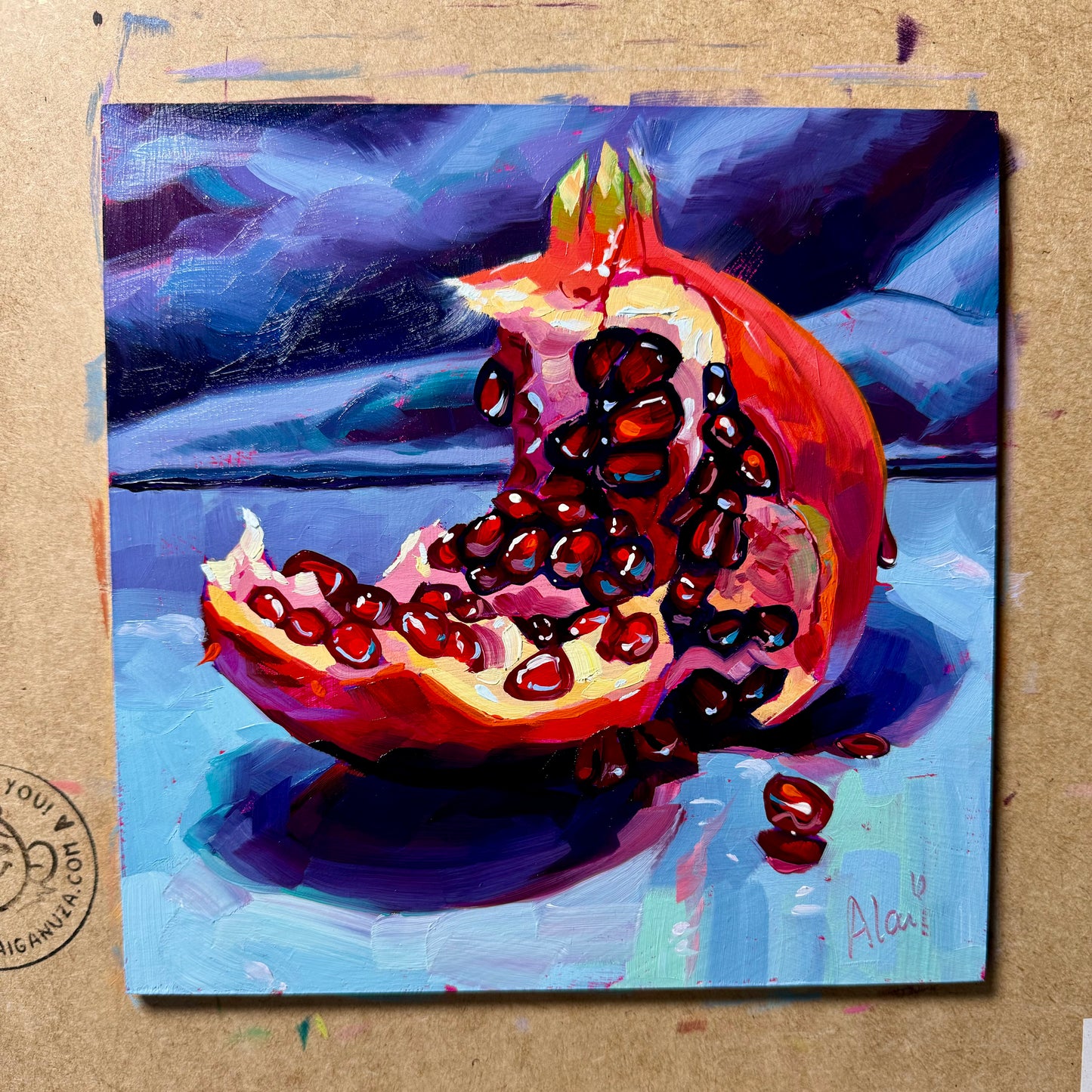
A jewel-toned treasure set against a dramatic, stormy sky.
"Pomegranate II" is a captivating original oil painting that embraces the darker, more romantic side of still life. The composition focuses on a ripe pomegranate split open, revealing its treasure trove of glistening ruby-red seeds (arils) inside. A few stray seeds have tumbled onto the cool, icy blue surface below. Unlike many of my brighter pieces, this fruit is set against a moody, deep purple and navy blue background that resembles a turbulent night sky or a dark ocean, making the red of the fruit burn even brighter.
Painted on a handmade wood panel, the piece is rich with texture and emotion. Alai’s signature impasto brushwork turns each seed into a raised, light-catching gem, contrasting with the rougher texture of the fruit's skin. It’s a sophisticated, atmospheric piece that brings a sense of mystery and elegance to your collection.
Why this original brings life to your wall:
- Dramatic Atmosphere: The moody, dark background creates a stunning contrast that makes the fruit feel illuminated from within, perfect for a cozy, intimate space.
- Jewel-Like Texture: The thick application of red paint makes the seeds look like scattered garnets or rubies, adding a touch of opulence to the artwork.
- Rigid Support: Painted on a handmade wood panel (approx. 20x20 cm), providing a sturdy and enduring foundation for the oil paint.
Technical Details:
- Medium: Oil painting.
- Surface: Handmade wood panel (rigid).
- Size: 20x20 cm (approx. 8x8 inches).
- Ready to Hang: Yes.
- Authenticity: Includes a Certificate of Authenticity (COA) hand-signed by me.
Unboxing & Shipping: Your painting arrives wrapped with care to ensure it travels safely from my studio to your home. We offer worldwide delivery with tracked and insured shipping.
Painted and shipped directly from the studio by Alai Ganuza. Made with professional paints and materials. Can be hung like this or framed for extra character.
Couldn't load pickup availability

More available works
-
Egg Couple - Fine Art Giclée Print - Vibrant Fried Egg Still Life
Regular price From €45,00 EURRegular priceUnit price per -
Plant in Studio Sink - Fine Art Giclée Print - Atmospheric Still Life
Regular price From €45,00 EURRegular priceUnit price per€35,00 EURSale price From €45,00 EUR -
Sink and Pink Soap - Fine Art Giclée Print - Bathroom Still Life
Regular price From €45,00 EURRegular priceUnit price per€35,00 EURSale price From €45,00 EUR -
Imaginary Breakfast - Fine Art Giclée Print - Sunny Side Up Egg Still Life
Regular price From €45,00 EURRegular priceUnit price per€35,00 EURSale price From €45,00 EUR


